A practical guide to redesign costs, project scope, hidden expenses, SEO protection, and choosing the right approach for your business.
Note: The pricing figures in this article are indicative planning estimates for the Indian market. They are not fixed Nizwas IT Solutions quotations. Actual costs depend on project requirements, website complexity, content, functionality, and the development team involved.
Introduction: How Much Does a WordPress Website Redesign Cost in 2026?
The cost of a WordPress website redesign in 2026 can range from approximately ₹40,000 for a relatively simple visual refresh to ₹5 lakh or more for a complex redesign involving custom development, content restructuring, SEO work, and integrations.
These are broad planning estimates, not an official industry rate card.
If you own a business website that looks outdated, loads slowly, performs poorly on mobile devices, or fails to generate enquiries, you may be considering a redesign.
But there’s an important question to answer before contacting a developer:
Does your website actually need a complete redesign, or would targeted improvements solve the problem?
A new website can improve usability, strengthen your brand identity, and make it easier for customers to interact with your business. However, a redesign can also introduce unexpected costs, technical problems, and SEO risks if the project isn’t planned properly.
In this guide, we’ll explain WordPress website redesign costs in 2026, the factors that influence pricing, what different budgets may include, and how to plan a redesign without spending money unnecessarily.
What Is a WordPress Website Redesign?
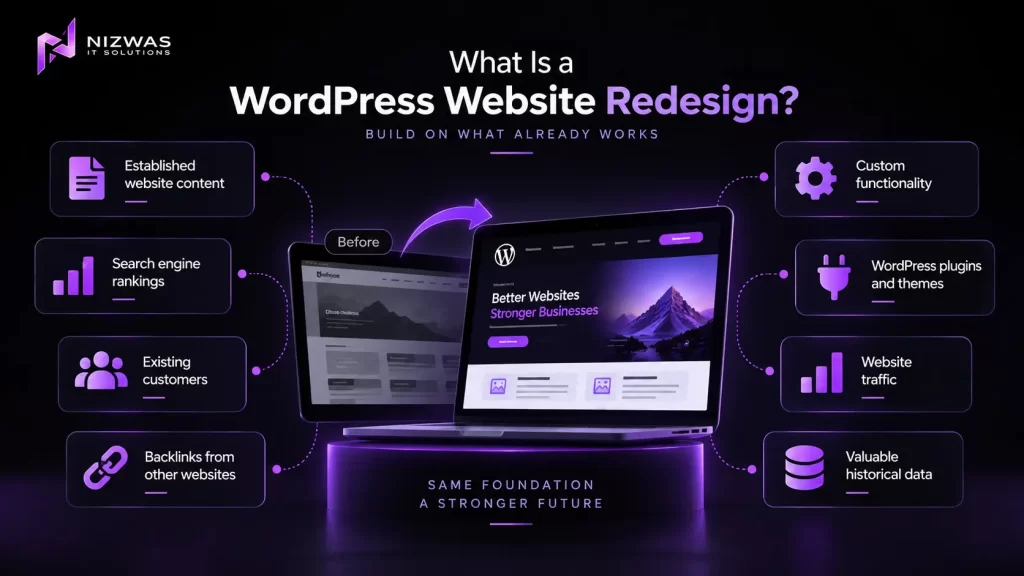
A WordPress website redesign involves improving an existing WordPress website’s appearance, structure, functionality, user experience, or technical foundation.
Unlike building a brand-new website, a redesign starts with an existing digital asset.
That means you may already have:
- Established website content.
- Search engine rankings.
- Existing customers.
- Backlinks from other websites.
- Custom functionality.
- WordPress plugins and themes.
- Website traffic.
- Valuable historical data.
A successful redesign should consider what is already working before deciding what needs to change.
Website redesign vs. website refresh
These terms are often used interchangeably, but they can describe different levels of work.
| Type of project | What it usually involves |
|---|---|
| Visual refresh | Updating colours, typography, spacing, images, and selected layouts |
| UX improvement | Improving navigation, content structure, forms, and user journeys |
| Full website redesign | Reworking the design, templates, page structure, and selected functionality |
| WordPress rebuild | Rebuilding substantial parts of the website’s technical implementation |
| Redesign with migration | Redesigning while moving hosting, themes, platforms, or website structures |
| eCommerce redesign | Improving product pages, shopping flows, checkout, and store functionality |
A visual refresh may require relatively little development work.
A complex WooCommerce redesign involving hundreds of products, payment integrations, custom features, and SEO migration is a very different project.
The scope of the work—not simply the number of pages—usually determines the final cost.
How Much Does a WordPress Website Redesign Cost in 2026?
For businesses operating in India, the following ranges can be used as an initial budgeting framework.
These figures are compiled as indicative planning bands based on publicly available 2026 Indian website redesign pricing guides. They are not verified market averages or guaranteed quotes.
Estimated WordPress Redesign Pricing
| Redesign type | Indicative budget in India | Typical project |
|---|---|---|
| Basic visual refresh | ₹40,000–₹1.2 lakh | Small business website with limited layout changes |
| UX and content-focused redesign | ₹80,000–₹2 lakh | Improved navigation, page structure, and user experience |
| Full business website redesign | ₹1.5 lakh–₹4 lakh | New design, templates, content improvements, and development |
| Custom WordPress rebuild | ₹2 lakh–₹6 lakh+ | Custom functionality, advanced templates, and integrations |
| WooCommerce redesign | ₹1 lakh–₹5 lakh+ | Store redesign, checkout improvements, and product migration |
| Large website or complex migration | ₹4 lakh+ | Extensive content, custom integrations, or major technical changes |
These ranges overlap because different projects can have very different requirements.
For example, a 20-page website with a simple design system may cost less than a 10-page website requiring custom booking functionality, API integrations, and complex animations.
What do international redesigns cost?
For businesses targeting the USA, UK, Canada, or Australia, the budget may be different because of regional agency rates, project management requirements, design expectations, and technical scope.
There is no single reliable international price that applies to every project.
The best approach is to compare proposals based on deliverables, experience, technical quality, and support, rather than comparing only the headline price.
7 Factors That Determine WordPress Website Redesign Costs
1. The Size and Complexity of Your Website
The number of pages matters, but it is only one part of the equation.
A simple website with five static pages is relatively straightforward to redesign.
An established business website may contain:
- Dozens or hundreds of service pages.
- Blog articles.
- Industry landing pages.
- Custom post types.
- Dynamic templates.
- Customer portals.
- Custom forms.
- Third-party integrations.
- Multilingual content.
- Advanced search functionality.
Each additional system introduces potential planning, development, testing, and maintenance requirements.
Example
Imagine two businesses.
Business A: Local plumbing company
Its website includes:
- Homepage.
- About page.
- Five service pages.
- Contact page.
- Basic enquiry form.
A redesign may primarily involve updated layouts, improved mobile usability, new imagery, and clearer calls to action.
Business B: Multi-location eCommerce business
Its website includes:
- 500 products.
- Product filters.
- Payment gateways.
- Shipping integrations.
- Customer accounts.
- Discount rules.
- Blog content.
- Custom product fields.
Even if both websites use WordPress, the second project requires substantially more technical planning.
What to ask your developer
Before requesting a quote, prepare:
- Approximate page count.
- Number of products, if applicable.
- List of important integrations.
- Current theme and plugins.
- Existing custom functionality.
- Website traffic information.
- Known technical problems.
The more accurately you define the existing website, the easier it becomes to estimate the project.
2. Design and User Experience Requirements
A redesign can range from modifying an existing theme to creating a completely custom visual identity.
Your design requirements directly affect the amount of work involved.
Basic design refresh
A basic refresh may include:
- New colours.
- Updated fonts.
- Improved spacing.
- Refreshed buttons.
- New images.
- Minor layout changes.
- Mobile responsiveness improvements.
This approach may be suitable when your existing website structure is still effective.
Custom website design
A more comprehensive project may include:
- User research.
- Competitor analysis.
- Wireframes.
- Custom page layouts.
- A reusable design system.
- Custom UI components.
- Interactive elements.
- Accessibility considerations.
- Desktop and mobile design variations.
Custom design can help differentiate your brand, but it requires more time and coordination.
Why UX matters
A visually attractive website can still be difficult to use.
For example:
- Visitors cannot find your services.
- Important information is buried.
- Contact forms are difficult to complete.
- Mobile buttons are too small.
- Navigation menus are confusing.
A redesign should address these problems rather than simply change the appearance of the website.
Good design is not only about how a website looks. It is also about how easily customers can use it.
3. WordPress Theme and Plugin Requirements
Your existing WordPress setup can significantly influence the redesign budget.
Some websites use a well-maintained theme with a relatively simple configuration.
Others depend on:
- Page builders.
- Custom themes.
- Premium plugins.
- Custom-coded functionality.
- Outdated templates.
- Plugin-specific shortcodes.
- Theme-dependent widgets.
- Legacy JavaScript.
- Custom database structures.
Reusing your existing setup
If your current theme and plugins are suitable, you may be able to retain them.
This can reduce unnecessary development work.
However, retaining an existing system is not always the best option.
For example, an outdated theme may be difficult to maintain or incompatible with your desired design.
Rebuilding the theme
A custom theme or redesigned component system may offer more control over:
- Website structure.
- Performance.
- Reusable templates.
- Accessibility.
- Content management.
- Future development.
But it also increases the amount of work involved.
A practical consideration
Before replacing your theme, ask:
“Is the theme actually causing the problem, or can we achieve the required improvements without replacing it?”
The answer should come from a technical assessment rather than a preference for a particular theme.
4. SEO Preservation and Content Migration
SEO protection is one of the most important considerations when redesigning an established WordPress website.
A redesign can change:
- Page URLs.
- Website navigation.
- Internal links.
- Page content.
- Heading structures.
- Metadata.
- Canonical tags.
- Structured data.
- Indexation settings.
- Image locations.
If these changes are poorly managed, they can affect how search engines discover and understand your website.
Why URLs matter
Suppose your existing website has this page:
example.com/wordpress-development/During the redesign, the page is moved to:
example.com/services/wordpress-development/If the old URL is no longer available and the change isn’t handled properly, visitors may encounter a 404 error.
Search engines may also need to reassess the new URL.
What should an SEO-conscious redesign include?
A useful checklist includes:
- Exporting existing URLs.
- Identifying important landing pages.
- Reviewing organic traffic.
- Reviewing valuable backlinks.
- Preserving relevant URLs where practical.
- Creating a redirect map for changed URLs.
- Checking canonical tags.
- Reviewing robots.txt.
- Testing XML sitemaps.
- Checking internal links.
- Verifying indexation settings.
- Monitoring Search Console after launch.
Google’s documentation explains how redirects, canonicalisation, and website migrations should be handled.
Example: Why SEO work matters
Imagine a business website receives consistent organic traffic from 200 service pages.
A redesign removes 50 of those pages without reviewing their value.
The new website may look better, but the business could lose access to useful content and search visibility.
The problem isn’t the redesign itself.
The problem is that the existing website’s search assets were not properly evaluated.
A redesign should protect valuable content and search visibility wherever practical—not treat SEO as an afterthought.
What Is Included in a Typical WordPress Redesign?
When comparing proposals, look beyond the price.
Two agencies may quote similar amounts while offering very different deliverables.
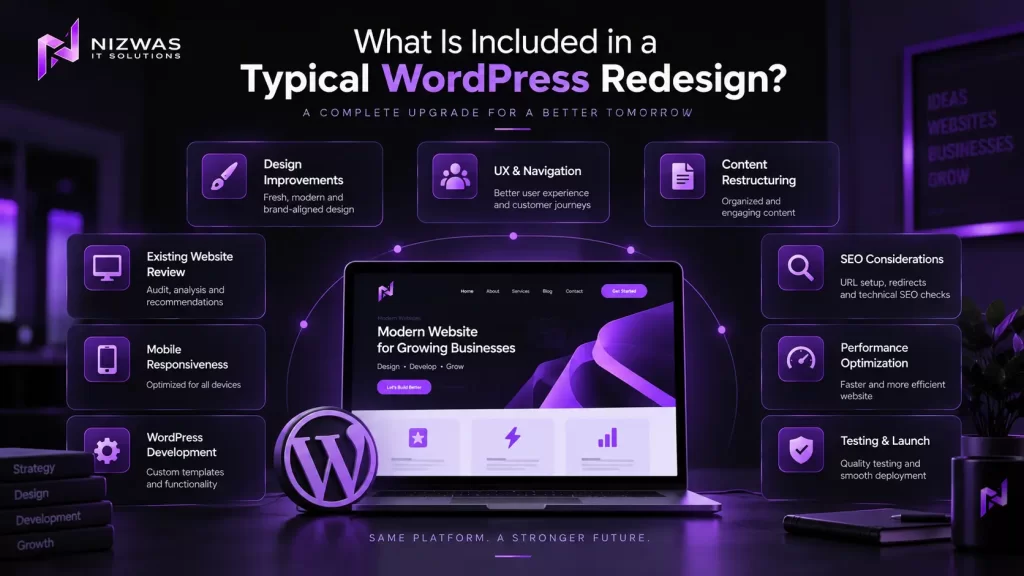
Here’s an example of what a business website redesign might include.
| Deliverable | Basic refresh | Full redesign |
|---|---|---|
| Existing website review | Usually | Usually |
| Visual improvements | Yes | Yes |
| Mobile responsiveness | Selected improvements | Comprehensive review |
| Custom page layouts | Limited | Depending on scope |
| UX and navigation review | Limited | Usually |
| Content restructuring | Limited | Depending on scope |
| WordPress development | Selected templates | Defined project scope |
| SEO review | Basic checks | More comprehensive |
| Redirect planning | If URLs change | As required |
| Form testing | Usually | Usually |
| Performance review | May be included | Should be defined |
| Security checks | Basic | Should be defined |
| Content migration | Limited | As specified |
| Post-launch support | Varies | Should be specified |
This table is a planning guide, not a universal industry standard.
Always ask the provider to identify what is included and excluded.
Hidden Costs to Consider Before Redesigning Your Website
A redesign quotation may not include every expense associated with launching the new website.
Understanding these costs in advance can help you plan your budget.
1. Content Writing
Your existing content may no longer reflect your business.
You might need:
- New homepage copy.
- Updated service descriptions.
- New product descriptions.
- Industry-specific content.
- SEO-friendly landing pages.
- Revised About page content.
Content writing may be included in some packages and charged separately in others.
Ask your provider for clarification.
2. Professional Photography and Graphics
A new website may require better visual assets.
Potential expenses include:
- Photography.
- Brand illustrations.
- Custom graphics.
- Product images.
- Video production.
- Icons.
- Custom animations.
Using existing assets may reduce costs, but outdated or low-quality images can limit the impact of a redesign.
3. Premium Plugins and Licences
Your redesigned website may require premium tools for:
- Forms.
- SEO.
- Security.
- Caching.
- Memberships.
- eCommerce.
- Bookings.
- Analytics.
Check whether licence costs are included in the project or billed separately.
4. Hosting Upgrades
An existing hosting plan may not be suitable for your redesigned website.
You may need better hosting if the website includes:
- More complex functionality.
- Increased traffic.
- WooCommerce.
- Resource-intensive plugins.
- Advanced integrations.
Hosting costs vary according to the provider and technical requirements.
5. SEO Migration
If URLs, content structures, or website platforms change, additional SEO work may be necessary.
This may include:
- URL mapping.
- Redirect implementation.
- Content auditing.
- Technical checks.
- Post-launch monitoring.
SEO migration should be treated as a defined part of the project where applicable.
6. Ongoing Maintenance
A redesigned website still requires maintenance.
Typical maintenance tasks include:
- WordPress updates.
- Plugin updates.
- Theme updates.
- Backups.
- Security monitoring.
- Performance checks.
- Troubleshooting.
- Compatibility testing.
Ask whether your project includes a post-launch support period and what ongoing maintenance costs may apply.
Should You Redesign Your Website or Improve the Existing One?
Not every website needs a complete rebuild.
Sometimes, targeted improvements can solve the most important problems.
When a visual refresh may be enough
Consider a refresh if:
- Your website structure is effective.
- Your theme is maintained.
- Your existing URLs are valuable.
- Your content is generally accurate.
- Your main problems are visual.
- Your mobile layout needs minor improvements.
- Your enquiry process needs small changes.
A refresh may reduce unnecessary development work.
When a complete redesign may make sense
A larger project may be appropriate if:
- Your website is difficult to maintain.
- Your theme is outdated.
- Your website structure no longer reflects your business.
- Your user experience is poor.
- Your brand has changed significantly.
- Your website requires substantial custom functionality.
- Your current technology limits future development.
- Your website has major accessibility or performance problems.
A useful decision-making framework
Before committing to a redesign, ask these questions:
| Question | Why it matters |
|---|---|
| What is currently not working? | Defines the actual problem |
| What must remain unchanged? | Protects valuable content and functionality |
| What needs improvement? | Helps prioritise development work |
| Can the existing theme support the new requirements? | May reduce unnecessary costs |
| Are any URLs changing? | Determines whether migration planning is needed |
| What is the business goal? | Helps evaluate the redesign’s purpose |
| Who will maintain the website? | Influences technology and documentation choices |
The best redesign is not necessarily the biggest one. It is the one that addresses the right problems.
A Practical Step-by-Step Guide to Planning Your WordPress Redesign
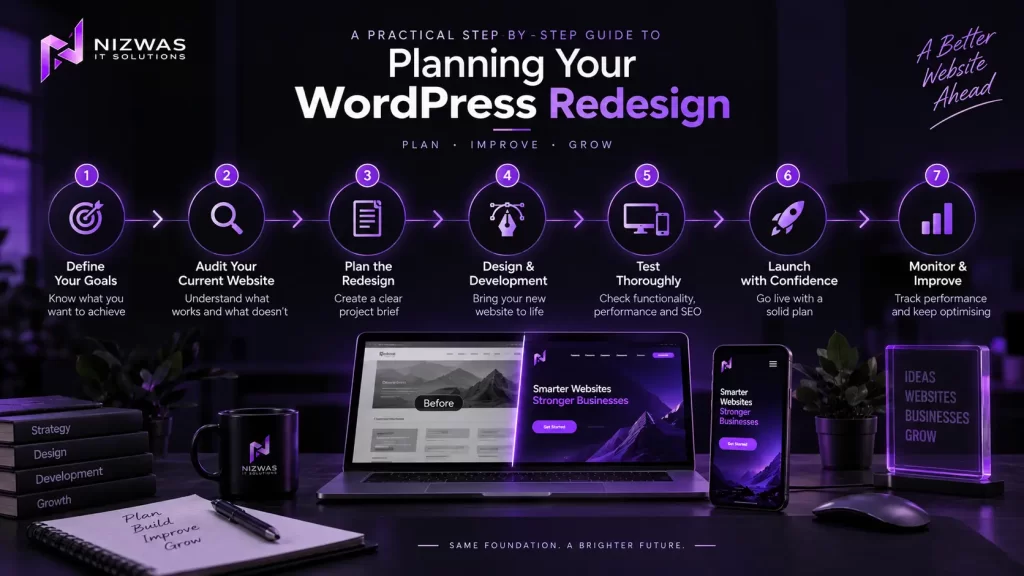
Step 1: Define Your Business Goals
Start with the reason you’re considering a redesign.
Are you trying to:
- Improve brand credibility?
- Generate more enquiries?
- Increase online sales?
- Improve mobile usability?
- Simplify content management?
- Improve website performance?
- Support a new service?
- Expand into a new market?
A clear goal makes it easier to decide which changes matter.
For example:
“We want to make it easier for potential customers to find our services and submit enquiries from mobile devices.”
This is more useful than simply saying:
“We want a modern website.”
Step 2: Audit Your Existing Website
Review your current website before making major decisions.
Examine:
- Important landing pages.
- Existing content.
- Traffic sources.
- Search performance.
- Mobile usability.
- Contact forms.
- Plugin configuration.
- Theme structure.
- Website speed.
- Security.
- Existing integrations.
Tools such as Google Search Console and Google Analytics can help you understand how your website is currently performing.
Step 3: Prepare a Clear Project Brief
A useful redesign brief should include:
- Business background.
- Project objectives.
- Target audience.
- Required pages.
- Design preferences.
- Functionality requirements.
- Content responsibilities.
- SEO requirements.
- Preferred launch timeframe.
- Budget range, if available.
The more clearly you explain your requirements, the easier it becomes to compare proposals.
Step 4: Request Detailed Proposals
Ask potential developers to explain:
- What they will deliver.
- What is excluded.
- How many revision rounds are included.
- Who provides the content.
- Who handles migration.
- How testing will be performed.
- What happens if the scope changes.
- Whether post-launch support is included.
A detailed proposal is usually more useful than a single price.
Step 5: Protect Your Existing SEO Assets
Before development begins:
- Record important URLs.
- Review high-performing pages.
- Identify valuable backlinks.
- Export relevant website data.
- Document existing integrations.
- Plan redirects where necessary.
- Establish a testing environment.
This step becomes particularly important for established websites with valuable organic traffic.
Step 6: Test Before Launch
A redesign should be tested before visitors use it.
Consider testing:
- Mobile layouts.
- Desktop layouts.
- Contact forms.
- Navigation.
- Browser compatibility.
- Website speed.
- Broken links.
- Redirects.
- Structured data.
- Checkout functionality, if applicable.
- Accessibility-related issues.
Testing should reflect the actual functionality of your website.
Step 7: Monitor After Launch
Launching the new website is not the end of the project.
Review:
- Search Console errors.
- Analytics tracking.
- Form submissions.
- Broken links.
- Page performance.
- User feedback.
- Indexation.
- Important business conversions.
The appropriate monitoring period depends on the website and the scale of the changes.
Common Mistakes to Avoid During a WordPress Redesign
1. Choosing the Cheapest Quote Without Comparing Scope
A low-cost proposal may be perfectly suitable for a simple project.
However, if it excludes content migration, testing, custom development, or SEO work that you need, the final cost may increase.
Compare deliverables, not just prices.
2. Redesigning Without Reviewing Existing SEO Performance
A page that looks outdated may still attract valuable traffic.
Review its performance before deleting or substantially changing it.
3. Changing Every URL Unnecessarily
A new URL structure isn’t always necessary.
If existing URLs work well, consider preserving them where practical.
When URLs must change, plan and test the redirects.
4. Adding Too Many Plugins
Plugins can provide useful functionality, but unnecessary additions may increase maintenance requirements and compatibility risks.
Choose tools based on actual requirements.
5. Ignoring Mobile Users
Your website may look excellent on a desktop and still be frustrating to use on a smartphone.
Test real mobile layouts rather than relying only on desktop previews.
6. Focusing Only on Visual Design
A redesigned website should also be usable, maintainable, accessible, and technically sound.
Beautiful design is valuable, but it is not the entire project.
7. Launching Without a Backup or Rollback Plan
Before making major changes, establish a reliable backup and a practical recovery process.
The exact approach depends on your hosting environment and deployment setup.
8. Assuming a Redesign Automatically Improves SEO
A redesign can improve technical foundations and usability, but it does not guarantee better rankings.
Search performance depends on many factors, including content relevance, competition, technical implementation, and search engine evaluation.
How to Choose the Right WordPress Development Partner
The right development partner should be able to explain both the technical work and the business implications.
Here are some useful questions to ask.
1. Can you show relevant redesign projects?
Look for projects similar to your website in terms of:
- Industry.
- Complexity.
- Functionality.
- Platform.
- Business goals.
2. How do you protect existing SEO?
Ask how the provider handles:
- Existing URLs.
- Redirects.
- Content migration.
- Internal links.
- Search Console checks.
- Pre-launch testing.
3. Will I be able to manage the website myself?
Ask whether your team will be able to update:
- Pages.
- Blog posts.
- Images.
- Products.
- Menus.
- Forms.
A good WordPress implementation should consider the people who will manage the website after launch.
4. What happens after launch?
Clarify:
- Warranty or support period.
- Bug-fix policy.
- Maintenance options.
- Response times.
- Additional development costs.
5. What exactly is included in the quote?
Ask for a breakdown of:
- Design.
- Development.
- Content.
- SEO.
- Migration.
- Testing.
- Hosting.
- Plugin licences.
- Support.
A trustworthy provider should be willing to explain the work behind the price.
How Nizwas IT Solutions Approaches WordPress Website Development
At Nizwas IT Solutions, we work on WordPress websites that need to be built, improved, or maintained.
Our approach begins with understanding the website and the business requirements before deciding what needs to change.
Depending on the project, our work can involve:
Website Assessment
Reviewing the existing website’s structure, functionality, and technical requirements.
Planning and UX
Understanding the website’s audience, content requirements, navigation, and user journeys.
WordPress Development
Building or improving WordPress websites using suitable themes, custom functionality, plugins, and integrations.
Performance Optimisation
Investigating issues affecting website speed, responsiveness, and technical performance.
SEO-Aware Implementation
Considering important technical SEO requirements during development, including site structure, crawlability, and URL management.
Testing and Launch
Reviewing functionality, responsiveness, and relevant technical requirements before deployment.
Ongoing Support
Helping businesses maintain, troubleshoot, and improve their WordPress websites after launch.
You can explore Nizwas IT Solutions’ verified website development services here: WordPress Website Design & Development Services
For businesses that need ongoing technical support, our website maintenance services are also available: WordPress Maintenance & Security Services
If you’re unsure whether your website needs a complete redesign, a technical assessment can help establish what should be retained, improved, or rebuilt.
Frequently Asked Questions
A WordPress website redesign in India may cost approximately ₹40,000 for a basic visual refresh and ₹5 lakh or more for a complex project involving custom development, advanced functionality, or migration work.
The actual cost depends on the website’s size, design requirements, content, technical complexity, and SEO needs.
These are indicative planning estimates, not fixed prices.
It depends on the condition of your existing website.
If your current theme, content, and functionality are suitable, redesigning the existing website may reduce unnecessary work.
However, if the website has outdated technology, complex technical problems, or a structure that no longer meets your requirements, a substantial rebuild may be more appropriate.
A technical assessment can help determine the most practical approach.
A simple visual refresh may take a few weeks.
A larger redesign involving custom design, development, content migration, and testing may take several weeks or longer.
The timeline depends on the number of templates, project complexity, content availability, feedback cycles, and required integrations.
It can.
Changes to URLs, content, internal links, website structure, and technical settings may affect how search engines discover and evaluate your website.
A carefully planned redesign should review existing SEO assets and implement appropriate safeguards.
However, no developer can guarantee that rankings will remain unchanged or improve after a redesign.
An outdated appearance may be a reason to consider a redesign, but it is not the only factor.
You should also consider usability, mobile performance, accessibility, website security, content quality, and whether the website still supports your business goals.
Sometimes a targeted visual refresh is sufficient.
Not always.
Some providers include basic on-page or technical SEO checks, while others offer SEO as a separate service.
Before signing a contract, clarify whether the project includes URL planning, redirects, metadata, content optimisation, technical SEO, and post-launch monitoring.
Yes.
In many cases, a website can be redesigned while retaining its existing URLs.
Keeping established URLs can simplify the migration process, although other technical changes may still require SEO checks.
Whether URLs should remain unchanged depends on the website’s existing structure and the project’s requirements.
Start by preparing a project brief that explains your existing website, required changes, functionality, content requirements, and business objectives.
A developer can then review the project and provide a more detailed estimate.
Ask for a breakdown of included services, exclusions, timelines, testing, migration, and post-launch support.
Final Thoughts: Plan Your WordPress Redesign Around Business Value
The cost of a WordPress website redesign in 2026 depends on what you need to change—not simply how many pages your website contains.
A small visual refresh may require a modest investment.
A complete redesign involving custom functionality, SEO migration, content restructuring, and performance improvements may require a much larger budget.
The most important step is to understand your existing website before deciding what to rebuild.
Review what is working.
Identify what is causing problems.
Protect valuable content and search visibility.
Then choose a development approach that matches your business goals.
For some businesses, a targeted improvement project may be enough.
For others, a complete redesign may be the right long-term investment.
The best website redesign is one that improves the experience for your customers while making your website more useful, maintainable, and aligned with your business.
If you’re considering a WordPress website redesign, Nizwas IT Solutions can help you explore the technical requirements and potential next steps.
👉 Discuss Your WordPress Website Project with Nizwas IT Solutions