You can have excellent content, strong backlinks and a well-designed website and still struggle to rank.
Sometimes the problem isn’t your content.
It is what happens underneath it.
Google needs to be able to discover your pages, crawl them, understand them, render important content and decide which URLs should appear in Search. If your website has blocked resources, indexing problems, broken redirects, duplicate URLs, poor mobile rendering or serious performance issues, your SEO work can be held back before Google even gets to evaluate the quality of your content.
That is why technical SEO matters.
But there is another problem.
Run almost any SEO crawler today and you can end up with hundreds of warnings:
- Missing alt attributes
- Redirect chains
- Duplicate titles
- Slow pages
- Canonical warnings
- Orphan pages
- JavaScript issues
- Broken links
- Large images
- Schema warnings
- Multiple URLs
- Crawl errors
The mistake is treating every warning as equally important.
They are not.
A missing image alt attribute on an unimportant decorative image is not the same problem as accidentally adding noindex to your entire service section.
A redirect chain on an old URL is not as urgent as a robots.txt rule blocking Google from reaching important pages.
This technical SEO checklist for 2026 is therefore organized around a more useful question:
What should you fix first?
Part 1: Start With Crawlability and Indexing
Before worrying about page speed, schema or advanced JavaScript issues, make sure Google can actually access and index the pages that matter.
This is the foundation.
Google’s technical requirements state that a page needs to be accessible to Googlebot, return a successful HTTP status such as 200, and contain indexable content to be eligible for indexing. Meeting those requirements does not guarantee indexing, but failing them creates a fundamental barrier.
1. Check whether Google can crawl your website
Start with Google Search Console.
Look at:
- Page indexing
- Crawl statistics
- URL Inspection
- Sitemaps
- Core Web Vitals
- Manual actions
- Security issues
If you have a sudden drop in organic traffic, don’t immediately rewrite your content.
First ask:
Can Google still access the important pages?
A simple technical change can sometimes have a much larger SEO impact than months of content publishing.
2. Review your robots.txt file
The robots.txt file controls which URLs crawlers are allowed to request.
It is useful when you need to control crawling, but it is also easy to misconfigure.
A common example is a development rule accidentally being moved to production:
User-agent: *
Disallow: /
That tells crawlers not to crawl the site.
You should also be careful about blocking CSS, JavaScript or other resources that Google needs to render your pages.
Google specifically recommends using Search Console’s Page Indexing and Crawl Stats reports alongside URL Inspection when investigating crawl accessibility.
What to check
- Is robots.txt accessible?
- Does it contain unexpected
Disallowrules? - Are important pages blocked?
- Are required resources blocked?
- Is the sitemap referenced correctly?
- Is the file returning a normal HTTP response?
3. Check your XML sitemap
Your XML sitemap should help Google discover the URLs you actually want indexed.
It should generally contain:
- Canonical URLs
- Important indexable pages
- Working URLs
- Current URLs
It should not become a dumping ground for:
- 404 pages
- Redirected URLs
- Noindexed URLs
- Duplicate URLs
- Temporary pages
Google recommends including the canonical URLs you want in Search and using absolute URLs in the sitemap. A sitemap can contain up to 50,000 URLs or 50 MB uncompressed before it needs to be split.
4. Check indexation
Go to Google Search Console and review the Page Indexing report.
You want to understand:
Which pages are indexed?
and:
Which important pages are not indexed?
Don’t automatically assume that every non-indexed URL is a problem.
Some URLs should not be indexed.
Examples include:
- Internal search pages
- Certain filter combinations
- Login pages
- Duplicate URLs
- Staging pages
- Some utility pages
The goal isn’t:
Get every URL indexed.
The goal is:
Get the right URLs indexed.
5. Use URL Inspection on important pages
Choose your most valuable pages:
- Homepage
- Main service pages
- Product pages
- Category pages
- Important blog posts
- Location pages
- Landing pages
Inspect them individually.
Check:
- Whether Google can access the URL
- Whether indexing is allowed
- Google’s selected canonical
- Last crawl
- Mobile usability where applicable
- Structured data
- Page availability
This is particularly useful after major website changes.
6. Check accidental noindex
One of the most damaging technical SEO mistakes is accidentally placing:
<meta name="robots" content="noindex">
on a page that should rank.
The page can look perfectly normal to a visitor.
The content can be excellent.
The design can be beautiful.
But you’ve effectively told search engines:
Don’t include this page in Search.
Check your important templates and individual pages.
This is especially important after:
- Website migrations
- Theme changes
- SEO plugin changes
- Staging-to-production deployments
- CMS updates
- Development work
7. Understand robots.txt versus noindex
These two controls are often confused.
robots.txt controls crawling.
noindex tells search engines not to index a page.
Google explicitly explains that blocking a URL with robots.txt does not act as a reliable way to remove the URL from Search. If Google can discover the URL elsewhere, the URL may still appear without its content.
This distinction matters during technical SEO audits.
Part 2: Fix URL, Canonical and Site Architecture Problems
Once crawling and indexing are under control, examine how your website handles URLs.
Large websites can generate thousands of URLs without anyone intentionally creating thousands of pages.
Filters, parameters, tracking URLs, pagination, sorting systems and duplicate paths can all contribute.
8. Audit HTTP status codes
Your important pages should return appropriate status codes.
Common codes include:
200 — OK
The page works normally.
301 — Permanent redirect
The URL has permanently moved.
302 — Temporary redirect
The move is temporary.
404 — Not found
The requested resource doesn’t exist.
410 — Gone
The resource has been intentionally removed.
A technical SEO audit should identify unexpected status codes and determine whether they represent genuine problems.
A 404 isn’t automatically bad.
If a page has been intentionally removed and has no useful replacement, returning 404 can be perfectly appropriate.
The problem is when valuable pages unexpectedly return errors.
9. Remove unnecessary redirect chains
Imagine:
old-page
→ redirect-1
→ redirect-2
→ redirect-3
→ final-page
It is cleaner to send the old URL directly to the final destination:
old-page
→ final-page
Redirect chains create unnecessary requests and can make migrations and site maintenance harder to manage.
This becomes particularly important after redesigns and URL migrations.
10. Avoid redirecting everything to the homepage
This is a common migration mistake.
Suppose you previously had:
/example.com/wordpress-maintenance/
and the new website has:
/example.com/wordpress-maintenance-services/
A relevant redirect makes sense.
But redirecting hundreds of unrelated old URLs to the homepage doesn’t necessarily preserve their purpose.
Google’s migration guidance warns against redirecting many unrelated old URLs to a single irrelevant destination because this can confuse users and may be treated as a soft 404.
Redirect URLs to the most relevant equivalent page.
11. Audit canonical tags
Canonicalization tells search engines which version of similar or duplicate URLs you consider the preferred version.
For example:
https://example.com/service/
https://example.com/service/?ref=google
https://example.com/service/?utm_source=email
These may represent essentially the same page.
Your canonical strategy should make the preferred URL clear.
Google considers multiple signals when choosing canonical URLs, including redirects, HTTPS, sitemap inclusion and rel="canonical" annotations.
12. Don’t assume Google must follow your canonical
A canonical tag is a signal, not an absolute command.
You might specify:
<link rel="canonical" href="https://example.com/page-a/">
but Google can choose another URL if its systems determine that another version is more appropriate.
Google’s documentation specifically recommends using URL Inspection to understand which canonical Google selected.
If Google repeatedly selects the wrong canonical, investigate:
- Duplicate content
- Internal links
- Redirects
- Sitemap URLs
- Canonical tags
- Content similarity
- URL parameters
13. Simplify your URL structure
Good URLs are:
- Short
- Descriptive
- Stable
- Human-readable
For example:
/example.com/technical-seo/
is clearer than:
/example.com/page?id=2837&cat=12&ref=abc
You don’t need to obsess over URL length.
Focus on clarity and consistency.
14. Review your site architecture
Important pages should not be buried several layers deep.
A sensible structure might look like:
Homepage
│
├── Services
│   ├── SEO
│   ├── Web Development
│   └── Website Maintenance
│
├── Industries
│   ├── Healthcare
│   ├── Real Estate
│   └── eCommerce
│
└── Resources
    ├── Blog
    ├── Guides
    └── Case Studies
This creates logical relationships between content.
15. Find orphan pages
An orphan page is a page that has little or no internal linking pointing toward it.
It may exist in your sitemap.
It may even be indexed.
But if users and crawlers have difficulty discovering it through your site’s navigation and links, it deserves investigation.
Important pages should normally have a clear path from relevant parts of the site.
Part 3: Fix Performance, Mobile Experience and Rendering
After crawlability and indexability, performance becomes one of the most practical technical areas to address.
A website can technically work while still providing a frustrating experience.
Users don’t care that your server returned a 200 status.
They care whether the page becomes usable quickly.
16. Check Core Web Vitals
Google’s current Core Web Vitals focus on:
- LCP — Largest Contentful Paint
- INP — Interaction to Next Paint
- CLS — Cumulative Layout Shift
Google’s recommended “good” thresholds are:
- LCP: 2.5 seconds or less
- INP: 200 milliseconds or less
- CLS: 0.1 or less
These are evaluated using field data at the 75th percentile.
The important point is that you shouldn’t judge your entire website from one PageSpeed Insights test.
Field data tells you how real users experience your pages.
17. Fix LCP problems
LCP measures how quickly the main content becomes visible.
Common causes of poor LCP include:
- Large hero images
- Slow server response
- Render-blocking CSS
- Too much JavaScript
- Poor caching
- Unoptimized fonts
- Third-party scripts
If your hero section contains a 2 MB image, don’t immediately install another optimization plugin.
Start by asking:
Does the image need to be that large?
Then look at:
- Image dimensions
- Compression
- Modern formats
- Preloading where appropriate
- CDN delivery
- Server response time
18. Improve INP
INP measures responsiveness.
A page may load quickly but still feel slow when someone clicks a menu, opens a form or interacts with a component.
Common causes include:
- Heavy JavaScript
- Long-running tasks
- Too many third-party scripts
- Complex animations
- Excessive DOM work
- Poorly optimized plugins
For WordPress sites, review plugins and scripts that load globally even when they are not required on every page.
19. Fix CLS
Nothing makes a website feel less polished than content jumping around while the page loads.
Typical causes include:
- Images without dimensions
- Ads without reserved space
- Dynamically injected banners
- Web fonts changing layout
- Late-loading components
Reserve the appropriate space for elements before they load.
The user should not have to chase a button because the page moved.
20. Test mobile first
Google uses the mobile version of a site’s content for indexing and ranking under mobile-first indexing. Google recommends responsive design and stresses that important content, metadata and structured data should be available consistently on mobile.
Check your website on actual mobile devices.
Look at:
- Navigation
- Buttons
- Forms
- Typography
- Images
- Tables
- Pop-ups
- Sticky elements
- Menus
- Checkout
- Content visibility
A desktop-perfect website can still provide a poor mobile experience.
21. Check JavaScript rendering
Modern websites increasingly rely on JavaScript.
That’s not inherently bad.
The problem appears when important content only becomes available after complex client-side processing that search engines or users can’t reliably access.
Check whether important:
- Text
- Links
- Navigation
- Product information
- Structured data
- Content sections
are available when the page is rendered.
Google’s crawling documentation specifically notes that JavaScript has differences and limitations that developers need to consider when designing sites for search engines.
22. Review third-party scripts
Analytics, chat widgets, heatmaps, advertising scripts, social embeds and tracking systems can add considerable weight.
Ask:
Does this script provide enough business value to justify its performance cost?
If not, remove it.
If it is necessary, load it as efficiently as possible.
23. Check HTTPS and mixed content
Your website should use HTTPS consistently.
Check for:
- HTTP URLs
- Mixed-content warnings
- Incorrect canonical URLs
- HTTP image resources
- HTTP scripts
- HTTP internal links
Security is not just about the lock icon.
Inconsistent protocols can create technical confusion across a website.
Part 4: Technical Content, Links, Structured Data and International SEO
Once the foundation is stable, move into areas that help search engines understand your site more clearly.
24. Check title tags
Every important page should have a useful title.
Avoid:
Home | Company Name
for every page.
A service page should identify the service.
For example:
WordPress Maintenance Services | Nizwas IT Solutions
A blog article might use:
Technical SEO Checklist for 2026: What to Fix First
Don’t stuff keywords into titles.
Make them useful to the person searching.
25. Check meta descriptions
Meta descriptions are not a direct ranking guarantee, but they can influence how your search result is presented and whether someone chooses to click.
Write descriptions that accurately explain the page.
For example:
Learn which technical SEO problems to fix first, from crawlability and indexing to Core Web Vitals, redirects, canonicals and structured data.
26. Audit heading structure
Use headings to organize content.
A logical structure might be:
H1
Technical SEO Checklist for 2026

H2
Crawlability

H3
Robots.txt

H3
XML Sitemap

H2
Indexing

H3
Noindex

H3
Canonicalization
Don’t create headings solely to insert keywords.
Use them to improve comprehension.
27. Fix broken internal links
A broken internal link is a small technical problem that can become a bigger usability problem when it occurs throughout the site.
Crawl your website and identify:
- 404 internal links
- Redirected internal links
- Broken navigation links
- Broken footer links
- Broken contextual links
Update links to the correct destination.
28. Strengthen internal linking
Internal links help connect related pages.
If you publish a technical SEO article about Core Web Vitals, link it naturally to relevant:
- Website speed services
- WordPress optimization pages
- SEO services
- Performance guides
- Case studies
Internal linking should help users first.
29. Validate structured data
Structured data can help Google understand the content on a page and may make eligible pages available for richer search appearances.
Google currently supports structured data types including Article, Breadcrumb, LocalBusiness, Organization, Product and others.
But don’t add schema simply because a plugin says you can.
The markup should accurately represent visible page content.
Google’s guidelines explicitly state that structured data does not guarantee a rich result and that misleading or hidden structured data can make a page ineligible.
30. Use the right schema for the page
Examples include:
Article
For suitable articles and blog content.
BreadcrumbList
For breadcrumb navigation.
Organization
For organization information.
LocalBusiness
For eligible local business pages.
Product
For appropriate product pages.
Don’t add five unrelated schema types just because your SEO plugin offers them.
31. Check international SEO
If your website targets multiple countries or languages, technical SEO becomes more complicated.
Review:
- Language versions
- Country versions
hreflang- Canonicals
- Internal links
- Sitemaps
- URL structure
- Duplicate translations
For example:
example.com/en/
example.com/fr/
example.com/de/
should have a clear relationship.
International SEO errors can result in the wrong language or country version appearing to users.
32. Review pagination and faceted navigation
eCommerce websites can create thousands of URLs through:
- Filters
- Sorting
- Search parameters
- Product attributes
- Color
- Size
- Price
- Brand
- Pagination
Not every generated URL needs to be indexed.
The goal is to control URL growth while ensuring valuable category and product pages remain accessible.
33. Check accessibility alongside SEO
Accessibility is not simply an SEO trick.
It is good web development.
Check:
- Keyboard navigation
- Form labels
- Color contrast
- Image alternatives
- Heading structure
- Focus states
- Accessible buttons
- Meaningful link text
A website that is easier to use is generally a better website.
Part 5: Prioritize the Fixes and Build a Repeatable SEO Process
This is where many technical SEO audits fail.
They produce a spreadsheet containing 500 problems.
Then nobody knows what to do first.
A better audit ends with a prioritized action plan.
34. Use a four-level priority system
Priority 1 — Critical
Fix immediately.
Examples:
- Entire site blocked by robots.txt
- Important pages accidentally noindexed
- Major pages returning 5xx errors
- Website inaccessible
- Wrong canonical across important pages
- Migration redirects missing
- HTTPS failure
- Major indexing loss
These issues can directly prevent search visibility.
Priority 2 — High
Fix next.
Examples:
- Important pages excluded from sitemap
- Significant redirect chains
- Duplicate indexable URLs
- Poor Core Web Vitals on key templates
- Broken internal links
- Mobile rendering problems
- Important JavaScript content inaccessible
Priority 3 — Medium
Improve after critical problems are handled.
Examples:
- Duplicate metadata
- Weak internal linking
- Unnecessary scripts
- Image optimization
- Minor structured-data warnings
- URL cleanup
Priority 4 — Low
Handle when resources allow.
Examples:
- Minor metadata inconsistencies
- Non-critical image issues
- Cosmetic technical warnings
- Low-value pages with little traffic
This prevents your team from spending three hours fixing a warning that has almost no business impact while an important indexing issue remains unresolved.
35. Build a technical SEO audit workflow
A practical workflow looks like this:
Step 1 — Establish a baseline
Record:
- Organic traffic
- Indexed pages
- Important rankings
- Conversions
- Core Web Vitals
- Crawl errors
Step 2 — Crawl the website
Use a crawler to identify:
- Status codes
- Redirects
- Canonicals
- Metadata
- Internal links
- Orphan pages
- Duplicate URLs
Step 3 — Compare crawler data with Google Search Console
This is important.
A crawler tells you what your website appears to be doing.
Search Console tells you what Google is seeing.
Those aren’t always identical.
Step 4 — Check the most important URLs manually
Inspect:
- Homepage
- Top landing pages
- Main services
- Best-performing content
- Important products
- Important categories
Step 5 — Fix critical issues
Don’t start with a cosmetic cleanup.
Fix visibility blockers.
Step 6 — Improve performance
Work through:
- LCP
- INP
- CLS
- TTFB
- JavaScript
- Images
- CSS
- Third-party scripts
Step 7 — Review structured data
Validate markup and make sure it accurately reflects visible content.
Step 8 — Re-crawl
After changes, run another crawl.
Step 9 — Monitor Search Console
Watch for:
- Indexing changes
- New errors
- Ranking changes
- Traffic changes
- Crawl behavior
Step 10 — Document everything
Record:
Problem → Impact → Fix → Owner → Date → Result
This turns technical SEO into a process instead of a one-time project.
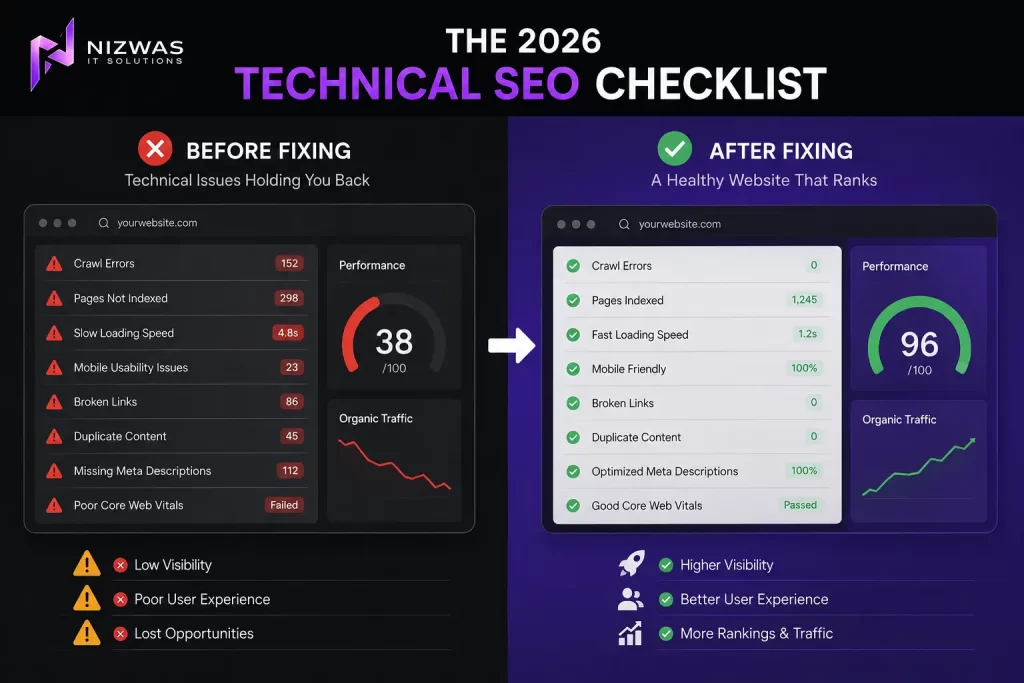
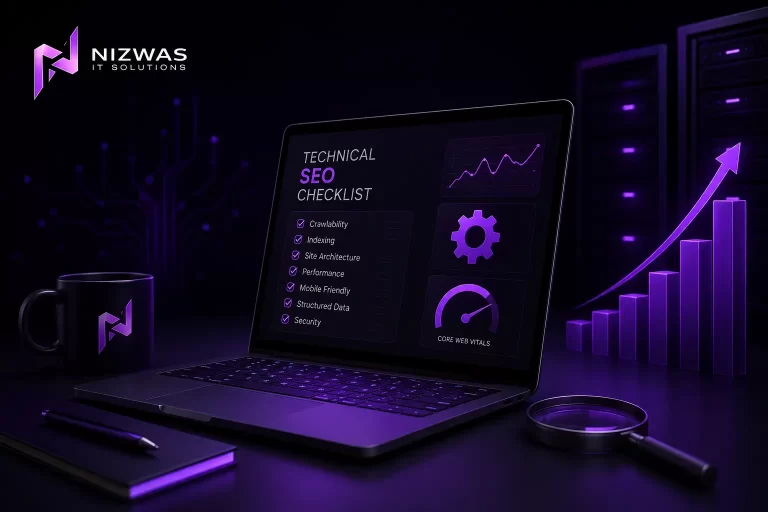
The 2026 Technical SEO Checklist
Crawlability
- Googlebot can access important pages
- robots.txt is accessible
- Important resources are not accidentally blocked
- XML sitemap exists
- Sitemap contains preferred URLs
- Important URLs are discoverable
Indexing
- Important pages are indexable
- No accidental noindex directives
- No unexpected X-Robots-Tag rules
- Important pages checked in URL Inspection
- Indexing errors reviewed
- Duplicate URLs controlled
URLs and Canonicals
- Canonical URLs are correct
- Google-selected canonicals reviewed
- Redirect chains minimized
- Redirect loops eliminated
- 404s reviewed
- Important redirects mapped
- URL parameters controlled
- URL structure is logical
Site Architecture
- Important pages are internally linked
- No critical orphan pages
- Navigation is logical
- Breadcrumbs work
- Internal links point to final URLs
- No major broken internal links
Performance
- LCP ≤ 2.5s at the 75th percentile
- INP ≤ 200ms at the 75th percentile
- CLS ≤ 0.1 at the 75th percentile
- Images optimized
- CSS optimized
- JavaScript reviewed
- Third-party scripts reviewed
- Server response time monitored
- Caching configured appropriately
Mobile
- Responsive design
- Same important content on mobile
- Same important metadata
- Same structured data where applicable
- Mobile navigation works
- Forms work
- Buttons are usable
- No intrusive layout problems
Structured Data
- Appropriate schema selected
- Schema matches visible content
- Required properties completed
- Rich Results Test checked where applicable
- No misleading markup
Security
- HTTPS enabled
- No mixed content
- SSL certificate valid
- HTTP redirects correctly
- Security issues monitored
International SEO
- Language versions are correct
- Country targeting is consistent
- Hreflang checked where applicable
- Canonicals reviewed
- Duplicate translated pages controlled
Monitoring
- Google Search Console configured
- Analytics configured
- Crawl monitoring established
- Core Web Vitals monitored
- Organic traffic monitored
- Ranking changes monitored
- Technical changes documented
What Should You Fix First?
If you’re short on time, don’t try to complete the entire checklist in one day.
Start here:
1. Can Google crawl the site?
Check robots.txt, server responses and blocked resources.
2. Can Google index the important pages?
Check noindex, canonicalization and Search Console.
3. Are the right URLs being indexed?
Look for duplicates, parameters and unnecessary pages.
4. Do important pages work properly on mobile?
Check the actual mobile experience.
5. Are Core Web Vitals healthy?
Focus on LCP, INP and CLS using field data.
6. Are redirects and internal links clean?
Remove unnecessary chains and fix broken paths.
7. Can Google understand the page?
Review content, metadata, structured data and internal links.
8. Are there technical problems caused by JavaScript or third-party tools?
Test rendered pages, not just the source HTML.
9. Is the site secure and stable?
Check HTTPS, server errors and unexpected downtime.
10. Re-crawl and monitor.
A fix is not complete simply because a developer says it has been deployed.
Verify it.
Final Thoughts
Technical SEO can look complicated because websites are complicated.
But the underlying goal is surprisingly simple.
Help search engines access the right pages, understand them correctly and deliver a reliable experience to users.
You don’t need to fix every warning generated by an SEO crawler.
You need to fix the problems that matter.
Start with crawlability.
Then indexing.
Then canonicalization and URL control.
Then site architecture.
Then mobile experience and Core Web Vitals.
Then structured data, JavaScript, international SEO and the finer details.
That order matters.
Google’s own documentation makes clear that crawl access, successful responses and indexable content are fundamental technical requirements.
Likewise, Google’s current crawling documentation covers robots.txt, sitemaps, canonicalization, mobile, JavaScript, metadata, redirects and other technical systems as separate parts of how sites become accessible to Search.
And when it comes to performance, don’t chase an arbitrary PageSpeed score.
Look at the actual user experience.
Google’s Core Web Vitals guidance currently focuses on LCP, INP and CLS, with good thresholds of 2.5 seconds, 200 milliseconds and 0.1 respectively at the 75th percentile.
The best technical SEO audit isn’t the one with the biggest spreadsheet.
It is the one that tells you:
What is broken?
Why does it matter?
What should we fix first?
Who should fix it?
How do we know the fix worked?
That is how technical SEO becomes useful to a business rather than just another list of warnings.
Frequently Asked Questions
1. What is technical SEO?
Technical SEO is the process of improving the technical structure of a website so search engines can crawl, render, understand and index its important content effectively.
2. What should I fix first in a technical SEO audit?
Start with issues that can prevent search engines from accessing or indexing important pages. Check robots.txt, server errors, noindex directives, canonicalization, sitemap problems and major rendering issues before moving to lower-priority warnings.
3. Is technical SEO still important in 2026?
Yes. Search engines still need to access and understand websites before they can evaluate and surface their content. Google continues to document crawling, indexing, canonicalization, JavaScript, mobile and technical requirements as core parts of Search.
4. How often should I perform a technical SEO audit?
There is no universal schedule. A smaller stable website might perform a detailed audit quarterly and monitor critical issues continuously. Large websites, eCommerce sites and frequently changing websites may need more frequent technical monitoring.
5. Does robots.txt affect SEO?
Yes, because robots.txt can control whether crawlers are allowed to request URLs. Accidentally blocking important pages or resources can create serious crawling problems. However, robots.txt should not be confused with the noindex directive.
6. What are Core Web Vitals?
Core Web Vitals are Google’s current set of user-experience metrics covering loading performance, interactivity and visual stability: LCP, INP and CLS. Google’s current good thresholds are LCP ≤2.5 seconds, INP ≤200 milliseconds and CLS ≤0.1 at the 75th percentile.
7. Does a high PageSpeed score guarantee better rankings?
No. A high laboratory performance score does not guarantee higher rankings. Technical SEO involves much more than one performance score, and real-user field data is important for evaluating Core Web Vitals.
8. What is canonicalization in SEO?
Canonicalization is the process of identifying the preferred URL when multiple URLs contain the same or very similar content. Google uses several signals, including redirects, canonical tags and sitemap inclusion, when selecting canonical URLs.
9. Should every page have a canonical tag?
A consistent canonical strategy is useful, but adding canonical tags blindly isn’t enough. The canonical should accurately represent the preferred version of the content, and other signals such as internal links, redirects and sitemaps should be consistent.
10. What is an orphan page?
An orphan page is a page that has little or no internal links pointing to it from other pages on the website. Important pages should generally be discoverable through a logical internal linking structure.
11. Does structured data improve rankings?
Structured data helps Google understand page content and can make eligible pages available for richer search appearances, but correctly implemented structured data does not guarantee a rich result or higher rankings.
12. Does JavaScript affect technical SEO?
It can. If important content, links or functionality depend on JavaScript that search engines cannot properly access or render, it can create technical SEO problems. Google specifically documents JavaScript crawling and rendering as part of its technical SEO guidance.
13. Is mobile SEO still important?
Yes. Google uses the mobile version of a website’s content for indexing and ranking under mobile-first indexing. Important content, metadata and structured data should therefore be available and consistent on mobile.
14. Do I need an XML sitemap?
Most websites benefit from having a properly maintained XML sitemap, particularly when they contain many pages or frequently publish new content. The sitemap should contain the canonical URLs you want Google to discover.
15. How long does it take to see results after fixing technical SEO?
There is no guaranteed timeframe. Google needs to recrawl and process the changes, and the impact depends on the severity of the original problem, the site’s size, crawl frequency and other ranking factors.
16. Can technical SEO alone make a website rank #1?
No. Technical SEO removes barriers and creates a stronger foundation, but rankings also depend on content quality, relevance, competition, authority, links, user experience and many other signals.