If you’re a small business owner planning a new website, you’ve probably already discovered one frustrating thing:
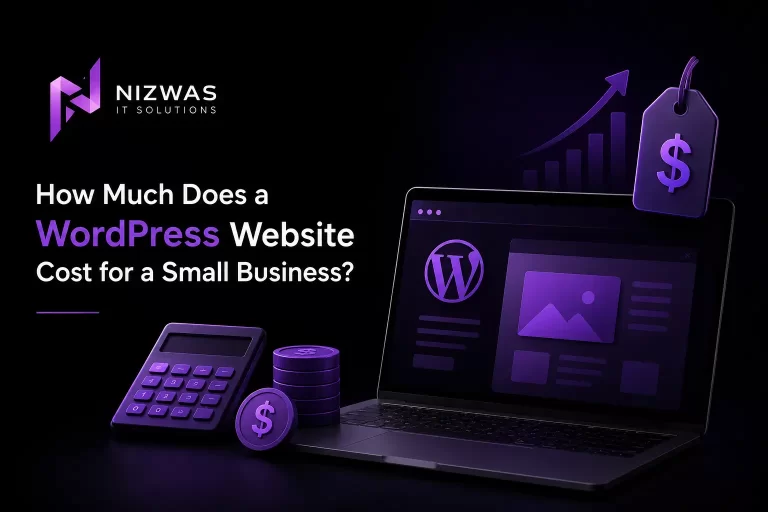
There is no single answer to “How much does a WordPress website cost?”
One developer might quote $500. Another might quote $3,000. An agency might quote $10,000 or more.
At first, that can make the whole process feel confusing.
The reason is simple: “a WordPress website” can mean very different things.
A basic five-page website built from an existing theme is completely different from a custom-designed website with SEO, conversion optimisation, integrations, booking functionality, WooCommerce, custom development and ongoing maintenance.
In 2026, current market guides commonly place professionally built small-business WordPress websites somewhere around $1,500–$8,000, while more complex agency projects, eCommerce stores and custom builds can go considerably higher. Recent market pricing sources show similarly wide ranges, reinforcing that scope—not WordPress itself—is the main cost driver.
So the better question isn’t:
“What does WordPress cost?”
It’s:
“What should I budget for a WordPress website that actually works for my business?”
Let’s break that down.
Part 1: What Does a WordPress Website Actually Cost?
The first thing to understand is that WordPress itself isn’t usually the expensive part.
WordPress is open-source software released under the GPL. WordPress.org describes it as a platform that can be used by everyone from small businesses to larger organisations, with extensive options for themes, plugins and customisation.
The cost comes from everything built around it.
That can include:
- Domain name
- Web hosting
- Website design
- Development
- Premium themes
- Premium plugins
- Content writing
- Photography
- SEO
- Security
- Performance optimisation
- Integrations
- Maintenance
- Developer support
That’s why two WordPress websites can have completely different prices.
A realistic 2026 price range
For a small business, these are useful planning ranges rather than fixed market prices:
| Website Type | Typical Cost |
|---|---|
| DIY WordPress website | $100–$500+ |
| Template-based freelancer website | $500–$2,500 |
| Professional small-business website | $1,500–$5,000 |
| Custom WordPress website | $2,500–$8,000+ |
| Agency-built website | $5,000–$15,000+ |
| WooCommerce website | $5,000–$25,000+ |
| Complex/custom WordPress platform | $10,000–$50,000+ |
These ranges vary significantly by country, developer experience, functionality and project scope. Recent 2026 pricing guides show freelancer projects commonly in the hundreds to several thousand dollars, while agency and custom projects can move well into five figures.
There is no universal “correct” price.
A $700 website isn’t necessarily bad.
A $7,000 website isn’t automatically good.
You need to understand what you’re actually getting for the money.
Why Are WordPress Website Prices So Different?
Imagine two businesses.
The first needs:
- Homepage
- About page
- Three service pages
- Contact form
- Blog
The second needs:
- 20+ pages
- Custom design
- WooCommerce
- Payment gateway
- CRM integration
- Advanced forms
- Custom filtering
- SEO strategy
- Speed optimisation
- Multiple user roles
Both might say:
“We need a WordPress website.”
But they are not buying the same product.
The second project involves substantially more planning, development, testing and ongoing responsibility.
This is why page count alone isn’t a reliable way to price a website.
A single custom page with complicated functionality can take more development time than five simple content pages.
The Four Main WordPress Cost Levels
1. DIY Website: $100–$500+
This is the cheapest route.
You purchase:
- Domain
- Hosting
- Theme
- Possibly premium plugins
Then you build the website yourself.
It can make sense for:
- New businesses
- Personal projects
- Early-stage startups
- Side businesses
- Businesses testing an idea
The biggest cost is your time.
You may spend evenings learning WordPress, fixing layouts, configuring plugins, optimising images and trying to understand why something isn’t working.
That’s perfectly reasonable if you enjoy doing it.
But for a business owner, there’s another question:
What is your time worth?
If you spend 40 hours building a website yourself, the website wasn’t actually “free.”
2. Template-Based Website: $500–$2,500
A freelancer may install a professional theme and customise it with your:
- Logo
- Colours
- Fonts
- Images
- Content
- Contact information
This can be a sensible option for businesses with a limited budget.
The advantage is speed.
The disadvantage is that the final website may still feel similar to hundreds of other websites using the same theme.
Template-based development isn’t automatically bad.
A good developer can still create a fast, professional and useful website from a solid theme.
The important thing is understanding whether you’re buying:
custom design
or
theme configuration.
Those are different services.
3. Professional Small-Business Website: $1,500–$5,000
This is where many established small businesses should start looking.
You might receive:
- Customised design
- Responsive development
- 5–15 pages
- Contact forms
- Blog
- Basic technical SEO
- Analytics setup
- Mobile optimisation
- Performance optimisation
- Security configuration
- Content structure
- Training or handover
Recent 2026 market guides commonly put professional small-business WordPress projects in this general range, although location and scope can move the number considerably.
For many businesses, this is the sweet spot between:
“I just need a website.”
and
“I need a completely custom digital platform.”
4. Custom WordPress Website: $2,500–$8,000+
Custom development becomes useful when your business needs something beyond a standard website.
You might need:
- Custom page layouts
- Custom post types
- Advanced forms
- Booking systems
- CRM integrations
- API connections
- Memberships
- Custom dashboards
- Advanced search
- Custom WooCommerce functionality
- Automation
At this point, you’re not really paying for “WordPress.”
You’re paying for development expertise.
The WordPress software gives you the foundation.
The developer builds the business solution on top of it.
Part 2: What Actually Determines WordPress Website Cost?
If you’re comparing quotes, this is the section you should pay the most attention to.
1. Design
Design is one of the first major cost differences.
A pre-built theme requires less design work.
A custom website requires:
- Research
- Wireframes
- Layout planning
- UI design
- Responsive design
- Brand integration
- User-flow planning
- Revisions
If your website is a major part of your sales process, custom design can be worth the additional investment.
But don’t pay for custom design simply because someone says “custom” sounds better.
The design should solve a business problem.
2. Number of Pages
More pages generally mean more work, but not always.
A standard:
About Us
page may be straightforward.
A complicated:
Services
section with filters, dynamic content and custom templates could require significantly more development.
When comparing quotes, ask:
How many unique page templates are included?
That’s often more useful than simply asking:
How many pages are included?
3. Content
Who is writing the website content?
This is frequently overlooked.
A developer may quote:
“10-page WordPress website.”
But that may mean:
You provide all text.
If you need professional copywriting, research, editing and SEO optimisation, that’s additional work.
Content can include:
- Website copy
- Service descriptions
- Blog articles
- FAQs
- Product descriptions
- Case studies
- Metadata
- Image selection
Google’s current guidance recommends helpful, reliable, people-first content and specifically encourages content that demonstrates expertise and provides real value rather than content produced primarily to manipulate search rankings.
So content shouldn’t be treated as filler.
It’s part of the website’s value.
4. SEO
A website can look fantastic and still receive very little organic traffic.
That’s why SEO should be considered during development.
Basic SEO setup might include:
- Page titles
- Meta descriptions
- Heading structure
- XML sitemap
- Search Console
- Image optimisation
- Clean URLs
- Internal linking
- Indexability
- Basic schema
More extensive SEO might include:
- Keyword research
- Competitor analysis
- Content strategy
- Technical SEO
- Local SEO
- Content production
- Digital PR
- Link acquisition
- Conversion optimisation
Google explains that SEO helps search engines understand content and helps users discover websites through search. It also explicitly states that there are no secrets that automatically guarantee a first-place ranking.
That’s an important distinction.
SEO-friendly website ≠ guaranteed Google rankings.
5. Functionality
Functionality is one of the biggest cost drivers.
A simple contact form may take little time.
A booking system can require:
- Calendar integration
- Availability logic
- Notifications
- User accounts
- Payment processing
- Confirmation emails
- Admin management
Likewise, an eCommerce store may require:
- Product variations
- Payment gateways
- Shipping
- Taxes
- Inventory
- Customer accounts
- Coupons
- Returns
- Email automation
This is why functionality should be defined before receiving a final quote.
6. Integrations
Does the website need to communicate with another system?
Examples include:
- HubSpot
- Salesforce
- Zoho
- Mailchimp
- Stripe
- PayPal
- Google Analytics
- CRM systems
- Accounting software
- Inventory systems
- Third-party APIs
Every integration introduces additional testing and maintenance considerations.
7. Performance
Performance shouldn’t be an afterthought.
A website may contain:
- Large images
- Heavy plugins
- Unnecessary JavaScript
- Poorly configured caching
- Slow database queries
- Third-party scripts
Fixing these problems after launch can be more difficult than building the website correctly in the first place.
That’s why a professional WordPress project should consider performance during development.
8. Security
Security is another cost that people often ignore until something goes wrong.
A professional website may require:
- SSL
- Secure authentication
- Updates
- Backups
- Access controls
- Security monitoring
- Malware protection
- Plugin management
WordPress itself provides the software foundation, but the website owner still needs appropriate hosting, configuration and maintenance. WordPress.org notes that self-hosted WordPress requires a hosting provider, and WordPress-specific hosts may provide additional features such as backups, updates and developer tools.
Part 3: The Costs Nobody Talks About
The website development quote isn’t necessarily the total cost of owning a website.
There are recurring expenses.
Domain Name
Your domain is the address people use to find your website.
For example:
yourbusiness.com
Domain pricing depends on the extension and registrar.
Common extensions include:
- .com
- .co.uk
- .com.au
- .ca
- .org
- .net
You normally pay for the domain annually.
Web Hosting
WordPress.org itself does not host your self-hosted website.
You need a hosting provider.
WordPress documentation explains that WordPress requires a web server and distinguishes generic hosting from WordPress-specific hosting.
Hosting costs can range from inexpensive shared hosting to much more expensive managed or dedicated infrastructure.
A small brochure website might be perfectly comfortable on quality shared or managed WordPress hosting.
A high-traffic eCommerce website may need something considerably more powerful.
Don’t choose hosting based only on the cheapest introductory price.
Look at:
- Server resources
- Support
- Backups
- Performance
- Security
- Scalability
- Renewal pricing
- Server location
- Uptime history
Premium Themes and Plugins
WordPress has a large ecosystem of themes and plugins.
Some are free.
Others are paid.
You may need licences for:
- Page builders
- Forms
- SEO tools
- Security
- Backup tools
- Performance tools
- WooCommerce extensions
- Membership systems
A $1,000 website can become a $1,500 website over a few years if several premium licences are required.
Ask your developer:
Which licences are included, and who owns them?
That’s an important question.
Website Maintenance
WordPress websites need ongoing attention.
That can include:
- WordPress updates
- Plugin updates
- Theme updates
- Backups
- Security checks
- Performance monitoring
- Broken-link checks
- Content updates
Some businesses manage this internally.
Others pay a developer or agency.
Typical maintenance pricing varies enormously, but current market guides commonly show maintenance ranging from tens to hundreds of dollars per month depending on what is included.
The important thing isn’t finding the cheapest maintenance plan.
It’s knowing exactly what it includes.
SEO After Launch
Another common misconception is:
“We paid for SEO when the website was built, so SEO is finished.”
Usually, it isn’t.
The initial website can have a strong SEO foundation.
But ongoing SEO may involve:
- New content
- Keyword opportunities
- Technical improvements
- Competitor analysis
- Internal linking
- Local SEO
- Search Console analysis
- Content updates
- Authority building
Google itself notes that changes to search visibility can take anything from hours to several months to be reflected, and not every change will produce a noticeable impact.
SEO is a process, not a switch.
Part 4: How Much Should a Small Business Actually Budget?
Let’s make this practical.
Scenario 1: Local Service Business
Imagine you’re a:
- Plumber
- Electrician
- Accountant
- Consultant
- Photographer
- Cleaning company
- Marketing consultant
You might need:
- Homepage
- About
- 4–6 service pages
- Contact page
- Testimonials
- FAQ
- Blog
A professional WordPress website in the $1,500–$4,000 range can be reasonable depending on the market and scope.
You don’t necessarily need:
- Custom software
- Complex dashboards
- Advanced APIs
- Huge animations
You need a website that generates enquiries.
Scenario 2: Growing Professional Business
Suppose your company already has customers and wants a stronger digital presence.
You might need:
- 10–20 pages
- Custom design
- SEO strategy
- Blog
- Case studies
- Lead-generation forms
- CRM integration
- Performance optimisation
- Local or national SEO
A budget around $3,000–$8,000+ can be realistic depending on the amount of strategy, content and development required.
Scenario 3: eCommerce Business
Now imagine you’re selling products online.
You need:
- WooCommerce
- Product catalogue
- Categories
- Payment gateway
- Shipping
- Taxes
- Customer accounts
- Order management
- Email notifications
- Security
- Performance optimisation
A WooCommerce website can easily move into the $5,000–$25,000+ range depending on the number of integrations and business requirements. Current 2026 pricing guides similarly show eCommerce projects costing substantially more than standard small-business websites.
The number of products isn’t always the biggest factor.
Business logic is.
Scenario 4: Custom Business Platform
Perhaps you need:
- Membership
- Booking
- User dashboards
- API integrations
- Custom workflows
- Multiple user roles
- Custom reporting
- Advanced automation
At this point, you’re building something closer to an application than a standard website.
A budget of $10,000+ is not unusual.
Large projects can reach tens of thousands of dollars.
Should You Choose a Freelancer or Agency?
This is another common question.
Freelancer
A freelancer may be a good fit when:
- The project is relatively straightforward
- You have one decision-maker
- You don’t need extensive strategy
- You have a limited budget
- You need direct communication
The advantage is usually lower overhead.
The risk is dependency on one person.
What happens if they’re unavailable?
Agency
An agency may be better when you need:
- Strategy
- Design
- Development
- SEO
- Copywriting
- Project management
- QA
- Ongoing support
You’re paying for a team and process.
But that doesn’t mean every agency is better than every freelancer.
Look at:
- Portfolio
- Reviews
- Case studies
- Communication
- Technical knowledge
- Contract
- Ownership
- Support
- What is actually included
Don’t buy a logo on a website. Buy a solution to a business problem.
How to Compare WordPress Quotes
This is probably the most useful thing you can do before signing a contract.
Don’t compare only the final price.
Create a table.
| Requirement | Company A | Company B | Company C |
|---|---|---|---|
| Custom design | ✓ | ✓ | — |
| Responsive design | ✓ | ✓ | ✓ |
| SEO setup | ✓ | — | ✓ |
| Content writing | — | ✓ | — |
| Speed optimisation | ✓ | — | — |
| Security | ✓ | ✓ | — |
| Analytics | ✓ | ✓ | ✓ |
| Training | ✓ | — | ✓ |
| Maintenance | ✓ | — | — |
| Plugin licences | Included | Client pays | Included |
Suddenly, the cheapest quote may not actually be the cheapest.
Questions You Should Ask Before Hiring a WordPress Developer
Ask these questions:
1. Is the design custom or theme-based?
2. Who owns the website after launch?
3. Who owns the domain?
4. Who owns premium plugin licences?
5. Is hosting included?
6. Is SEO included?
7. Is content included?
8. How many revisions are included?
9. Is mobile optimisation included?
10. Is speed optimisation included?
11. Are backups configured?
12. What happens if something breaks?
13. Is ongoing maintenance included?
14. Will I receive administrator access?
15. Can I move the website to another hosting provider?
That last question is particularly important.
You shouldn’t feel trapped by your developer.
Part 5: Is WordPress Worth the Investment for a Small Business?
For many businesses, yes.
But not because WordPress is automatically cheaper.
WordPress is attractive because it provides flexibility.
WordPress.org describes the platform as open source and designed to allow people to create, modify and extend websites, while its ecosystem includes themes, plugins and tools for everything from basic websites to more complex projects.
For a small business, that can mean starting small and expanding later.
You might launch with:
5–10 pages
Then add:
Blog → SEO → Case studies → Landing pages → WooCommerce → Integrations
without necessarily rebuilding everything from scratch.
Don’t Focus Only on the Cheapest Website
A website is an investment.
If a $500 website generates no enquiries, it may be expensive.
If a $5,000 website consistently helps generate qualified leads, it may be inexpensive relative to the value it produces.
The correct question isn’t:
“How cheaply can I get a website?”
It’s:
“What website can I afford that will properly support my business?”
That change in thinking is important.
What Should a Small Business Website Include?
For most small businesses, I’d prioritise:
Essential
- Professional design
- Mobile responsiveness
- Clear navigation
- Strong homepage
- Service pages
- Contact form
- Business information
- SSL
- Analytics
- Basic SEO
- Fast hosting
- Backups
Highly valuable
- Local SEO
- Google Business Profile
- Case studies
- Testimonials
- FAQ
- Blog
- Conversion tracking
- Performance optimisation
Add only when needed
- Membership
- Booking systems
- Advanced dashboards
- Custom APIs
- Complex automation
- Advanced eCommerce
The goal is not to add every feature.
The goal is to build what your customers actually need.
The Real Cost of a Cheap WordPress Website
There is nothing wrong with having a small budget.
But cheap development becomes a problem when important work is simply skipped.
You might receive:
- Poor mobile design
- Unoptimised images
- Too many plugins
- Weak security
- No backups
- Poor URL structure
- No SEO foundation
- Slow loading
- No ownership documentation
Then six months later, you hire another developer to fix everything.
That’s when the original “cheap” website becomes expensive.
A better approach is to define the minimum professional standard before development begins.
How Nizwas IT Solutions Approaches WordPress Projects
At Nizwas IT Solutions, we believe the website should be treated as a business asset, not simply a collection of pages.
That means looking at:
Design
→ Does it represent the business professionally?
UX
→ Can visitors find what they need?
Development
→ Is the website maintainable?
SEO
→ Can search engines understand the content?
Performance
→ Does it respond quickly?
Security
→ Is it maintained and protected?
Conversion
→ Does it encourage the visitor to take the next step?
This approach is particularly important for businesses that depend on their website for leads.
A technically impressive website that doesn’t generate enquiries isn’t doing its job.
Final Answer: How Much Should You Spend?
For a typical small business, I would use these ranges as a planning framework, not a universal price list:
DIY: $100–$500+
Basic professional website: $1,500–$3,000
Professional custom small-business website: $3,000–$8,000
Advanced WordPress website: $8,000–$15,000+
WooCommerce: $5,000–$25,000+
Complex/custom platform: $10,000–$50,000+
Current 2026 market sources show broad overlap around these categories, but actual pricing varies considerably by geography, developer, agency structure and scope.
And remember to budget separately for:
- Domain
- Hosting
- Premium plugins
- Maintenance
- Security
- Content
- SEO
- Future development
The cheapest website isn’t necessarily the best investment.
The most expensive website isn’t necessarily the best either.
The right website is the one that fits your business, your customers and your goals.
Frequently Asked Questions
A professional small-business WordPress website commonly falls somewhere around $1,500–$8,000, depending on design, functionality, content, SEO and development requirements. Simple template-based websites can cost less, while custom and agency projects can cost substantially more.
The WordPress software is open source and released under the GPL. However, running a website still requires costs such as hosting, a domain and potentially premium themes, plugins, development and maintenance.
A simple five-page website can cost a few hundred dollars when built from a template or DIY, while a professionally designed five-page business website can cost several thousand dollars depending on the level of customisation, content and SEO.
It can be, particularly for standard business websites. WordPress provides an existing CMS and extensive ecosystem, while a fully custom website may require more development from the ground up. However, complex WordPress projects can also become expensive.
Self-hosted WordPress from WordPress.org does not include hosting. You need to choose a hosting provider separately.
A website can technically launch without a comprehensive SEO strategy, but addressing SEO fundamentals during development can create a stronger foundation. SEO helps search engines understand your content and helps users discover your website through search.
Maintenance varies according to the services included. Basic updates may cost relatively little, while managed maintenance involving backups, security, monitoring, troubleshooting and development support can cost considerably more.
It can be if your requirements are simple and you understand what you’re receiving. Problems arise when a low price means important work such as security, performance, mobile optimisation or SEO is omitted.
A small WooCommerce project may start in the low thousands, while stores with custom checkout, integrations, inventory systems, advanced shipping or complex product structures can reach $10,000–$25,000 or more. Current market guides show significant variation based on functionality.
A freelancer can be a good choice for a straightforward project. An agency may make more sense when you need strategy, design, development, content, SEO, project management and ongoing support.
A basic website can potentially be completed within a few weeks, while custom websites can take several weeks or months. The timeline depends on design, content, functionality, revisions and integrations.
Yes. WordPress can be extended with themes, plugins and custom development. The appropriate hosting and technical architecture become increasingly important as traffic and functionality grow.
Yes. WordPress websites can appear in Google Search, but WordPress itself does not guarantee rankings. Search visibility depends on content, technical accessibility, relevance, competition, authority and many other factors. Google explicitly states that there are no automatic methods for securing first-place rankings.